
VorenX for store, unit and site managers
Run your location from one screen
Managers of a restaurant, hospital unit, community, depot, branch or site get one VorenX screen for their location: labor against sales or census, approvals, third clock alerts when systems disagree, documents, equipment tickets and who is ready in training.
Updated
What appears on their screen
- Labor vs. sales, census or occupancy
- Approvals for hours, time off and changes
- Third clock alerts when systems disagree
- Documents and mail for the location
- Equipment, tickets and preventive maintenance
- Training readiness for the team
What this role is called in each industry
| Industry | Role | What they see |
|---|---|---|
| Quick service restaurants | General manager | Labor vs. sales by daypart, approvals, third clock alerts, documents and equipment tickets for the store. |
| Healthcare and hospitals | Unit manager | Census and acuity next to who is on, open shifts, overtime risk and approvals. |
| Senior living | Executive director | Residents, care tasks, incidents and staffing for the community. |
| Transportation and fleet | Terminal manager | Which drivers are cleared for which vehicles, inspections due, driver events and coaching for the terminal. |
| Transportation and fleet | Dispatcher | Runs and routes covered by cleared drivers, call-outs filled, and hours of service before a run is assigned. |
| Transportation and fleet | Fleet mechanic | Inspection defects turned into work orders, vehicles out of service, and parts and labor by vehicle. |
| Transportation and fleet | Safety and compliance manager | Driver qualification files, license and medical card expirations, drug and alcohol tests, and events that need coaching. |
| Private equity and M&A | Portfolio company GM | Their company's labor, cash and operations without changing their tools on day one. |
| Banks and credit unions | Branch manager | Branch transactions next to staffing, approvals and certifications. |
| Hospitality, convenience and retail | Site GM | Occupancy or sales next to labor, approvals and tasks. |
Quick service restaurants →Healthcare and hospitals →Senior living →Transportation and fleet →Private equity and M&A →Banks and credit unions →Hospitality, convenience and retail →
Questions people ask
How do restaurant operators track labor cost against sales by daypart?
Join punches and schedules with POS sales by store, day and daypart, compare labor to target while the shift is running, and send labor targets back to scheduling.
How do multi-location businesses reduce overtime before it happens?
Watch scheduled and worked hours for each person across every location and system, warn managers before someone crosses into overtime, and offer the shift to someone else.
How do you screen hourly applicants faster across many locations?
Let applicants call a number and answer a short voice screen any time, score the answers the same way at every location, and send the best to the manager for an interview.
Real screens
Each screen says where it was built from. Industry pages show only the screens that fit that industry.
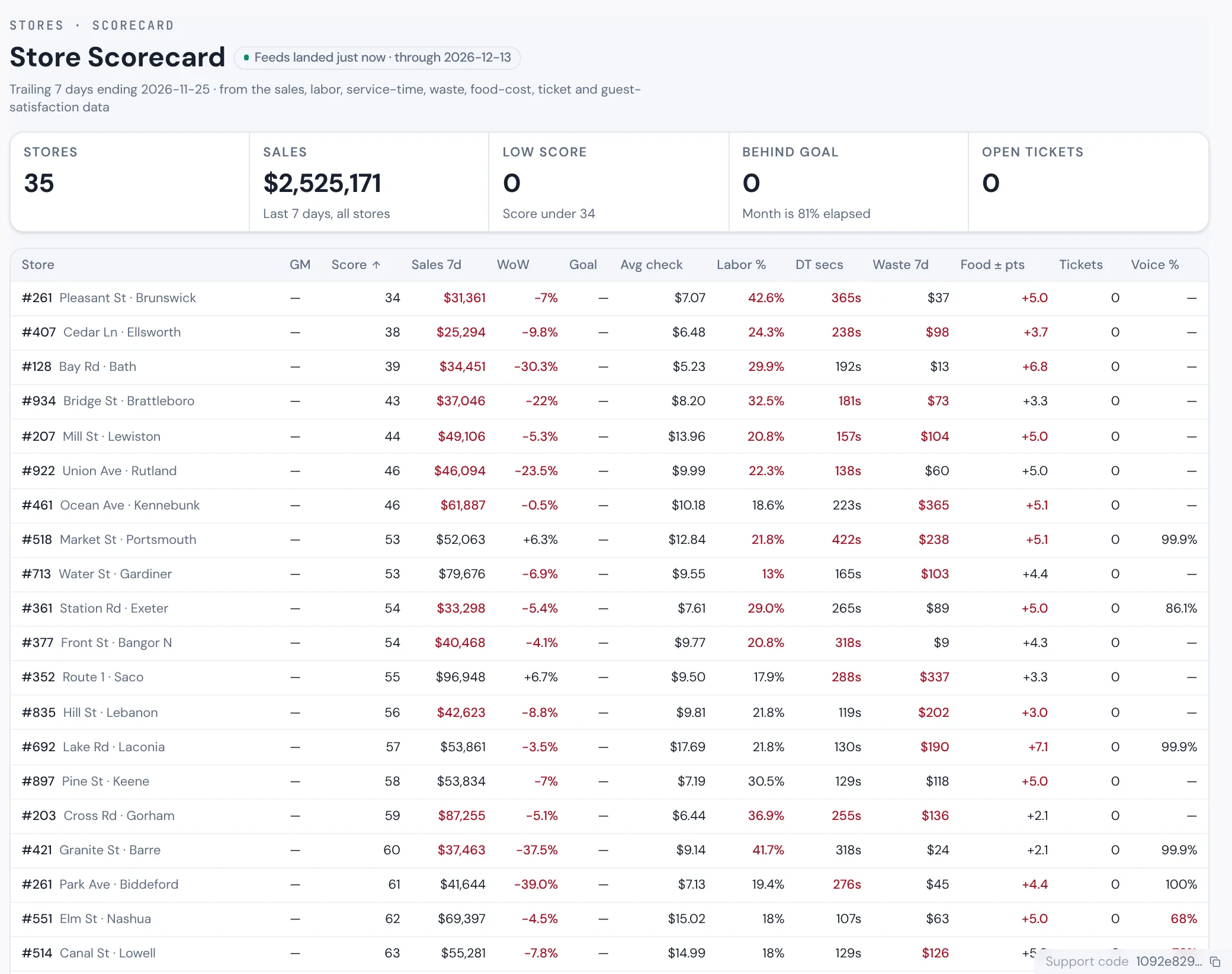
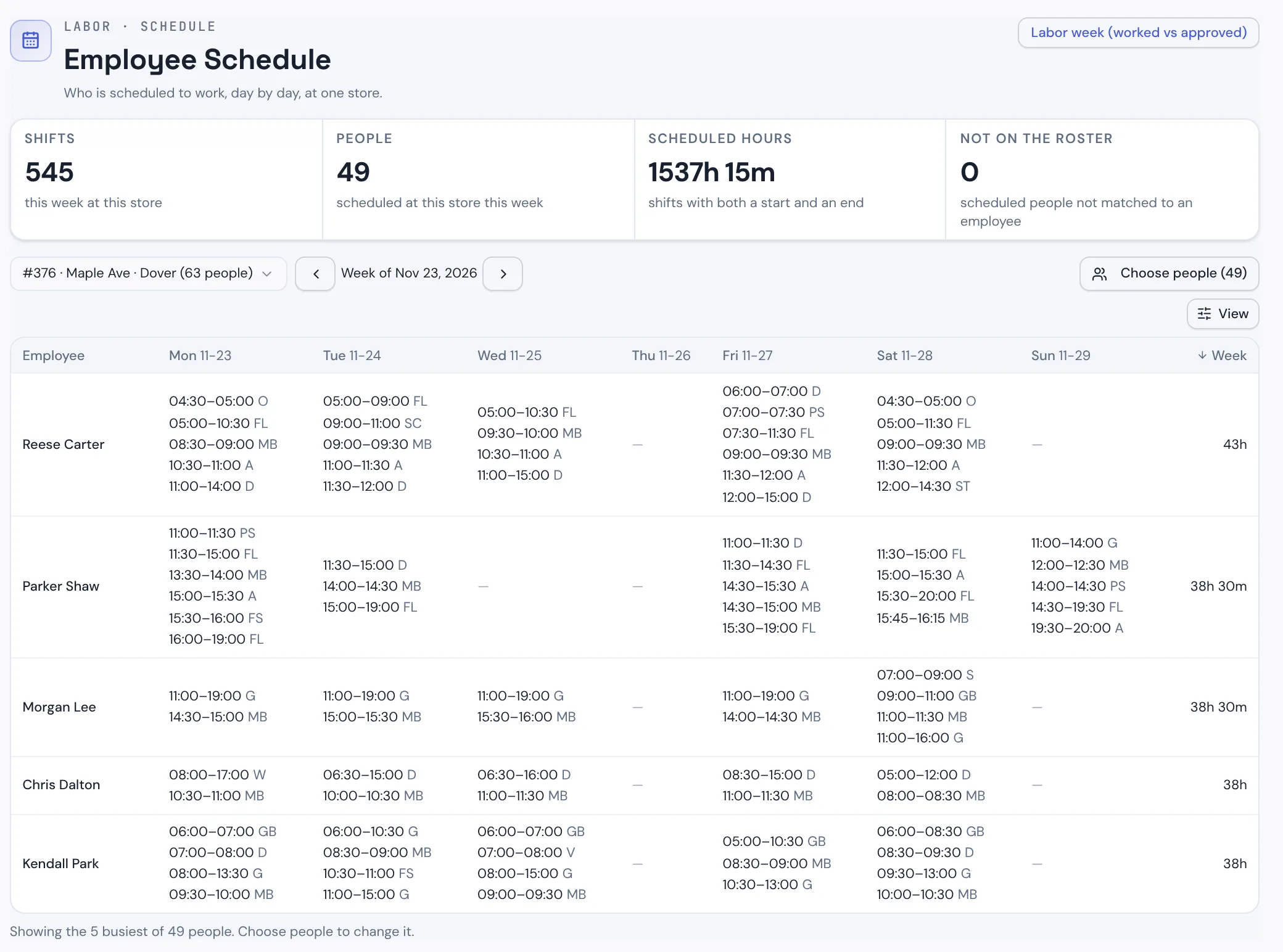
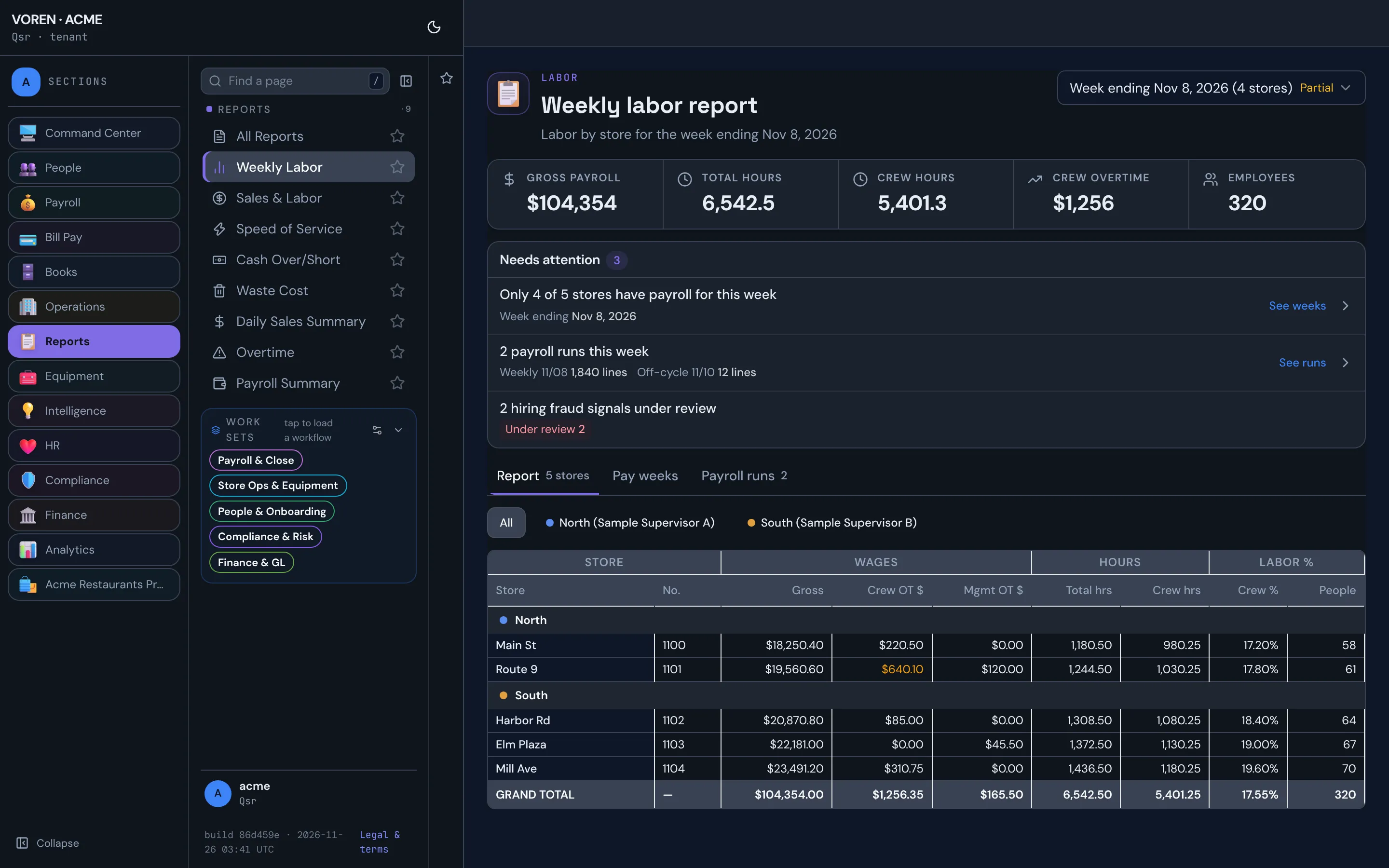
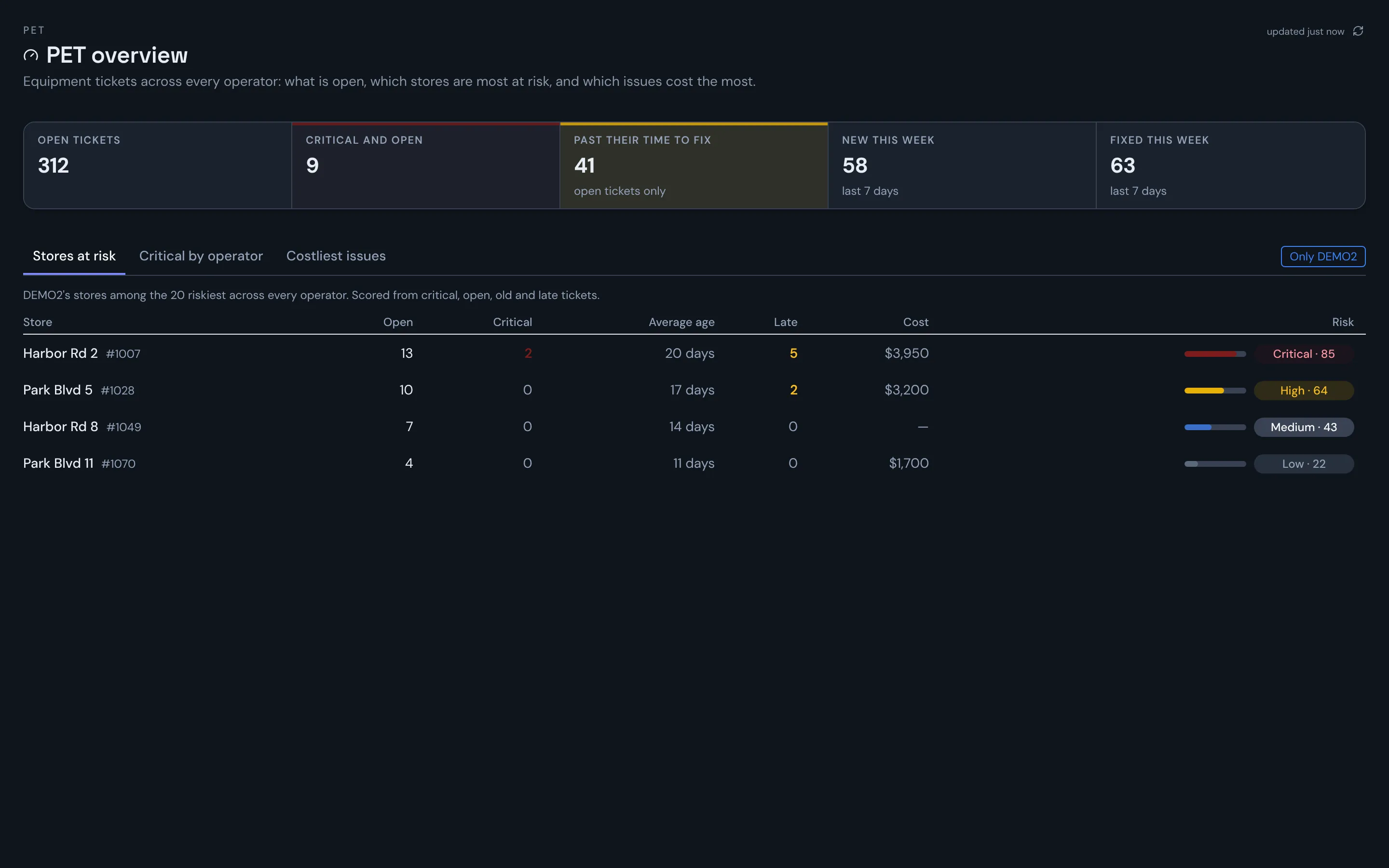
Real VorenX screens. Every name, store and figure is made up.
Questions people ask
What does a manager approve in VorenX?
Hours, time off, schedule changes, pay adjustments and corrections flagged by the third clock. Approved changes are written back to the system of record.
Does a manager still need to log in to the scheduling or POS system?
Rarely. The labor, sales, approvals and alerts a manager needs are in one VorenX screen, and changes are written back to the systems underneath.
What is a third clock alert?
A notice that two systems disagree about a record the manager owns, such as a punch or a position, with what each system says and a way to decide.
Keep reading
Adaptive role-based screens
VorenX builds each person's screen from their role, responsibilities and profile. Access changes automatically on promotion, and the screen learns what each person uses.
One AI across every system
VorenX runs one AI layer across every connected system for cross-system business analytics. Use ours, or plug in Claude, Gemini, ChatGPT, Grok or your own model under the same roles and rules.
Industries
VorenX is the top layer for multi-location businesses with frontline teams: quick service restaurants, hospitals, senior living, transportation, private equity, banks and hospitality.