
VorenX for transportation and fleet
Drivers, depots and telematics in one place
VorenX gives transportation and fleet operators one role-based screen above telematics, dispatch and routing, fleet maintenance, payroll and accounting. Drivers see assignments, pay and required training. Depot managers see who can operate which vehicle, inspections and driver events. Regional operations and finance see every depot rolled up.
Updated
What every role sees
| Role | What they see in VorenX | Their screen on this site |
|---|---|---|
| Driver | Next run and vehicle, pre-trip inspection, hours left today, pay and coaching in the training feed. | Phone with their department's lessons |
| Terminal manager | Which drivers are cleared for which vehicles, inspections due, driver events and coaching for the terminal. | Drivers cleared to operate |
| Dispatcher | Runs and routes covered by cleared drivers, call-outs filled, and hours of service before a run is assigned. | Week schedule |
| Fleet mechanic | Inspection defects turned into work orders, vehicles out of service, and parts and labor by vehicle. | Example screen |
| Safety and compliance manager | Driver qualification files, license and medical card expirations, drug and alcohol tests, and events that need coaching. | Example screen |
| Regional operations | Every terminal rolled up: drivers, vehicles and inspections matched from telematics, coverage and overtime. | Fleet data coverage |
| Finance and payroll | Driver hours from telematics and dispatch checked against paid hours before payroll goes, then matched to the general ledger. | Run payroll |
| President | The whole operation in one view: on-time runs, uncovered runs, vehicles down and labor cost. | Example screen |
The problem today
- Telematics, dispatch, maintenance and payroll do not agree on hours.
- Driver qualifications live apart from assignments.
- Coaching after a driver event is tracked on paper.
What changes with VorenX
Drivers cleared to operate
Which drivers are cleared for which vehicles, from licenses, training and tests.
Fleet data coverage
Drivers, vehicles and inspections from telematics in one view.
Coaching that writes back
Coaching completed in the feed is recorded against the driver.
Systems that plug in underneath
These are examples of systems depots commonly run. Each one plugs in underneath VorenX, keeps its job as a system of record, and gets approved changes written back.
Zonar
Fleet and telematics: gps and routes, driver events, inspections in; driver assignments, coaching completed back.
Samsara
Fleet and telematics: gps and routes, driver events, inspections in; driver assignments, coaching completed back.

Geotab
Fleet and telematics: gps and routes, driver events, inspections in; driver assignments, coaching completed back.
Trapeze
Dispatch and routing: runs, trips, blocks in; operator assignments back.
Lytx
Fleet and telematics: gps and routes, driver events, inspections in; driver assignments, coaching completed back.
Fleetio
Fleet and telematics: gps and routes, driver events, inspections in; driver assignments, coaching completed back.
UKG Ready
Scheduling and timekeeping: schedules, punches, time off in; shift swaps, trained-for-station flags, approved schedule changes back.

Evolution Payroll
Payroll: pay statements, earnings, deductions in; approved hours, bonuses and adjustments back.
ADP Workforce Now
Payroll: pay statements, earnings, deductions in; approved hours, bonuses and adjustments back.

QuickBooks
Accounting and ERP: general ledger, accounts payable, budgets in; labor accruals, journal entries back.
Questions one AI can answer across those systems
- Which drivers are assigned next week to a vehicle they are not cleared to operate?
- Where do telematics hours and paid hours disagree?
- Which depots have inspections overdue?
Questions transportation and fleet teams ask
How do fleet operators know which drivers are cleared to operate which vehicles?
Join licenses, training, tests and inspections with telematics and assignments, so dispatch and depot managers see who is cleared before a driver is assigned.
How do transit agencies match operator assignments to runs, pay and qualifications?
Join runs, trips and blocks from scheduling and dispatch with operator qualifications, timekeeping and payroll, and check every assignment before it goes out.
Training for each department you run
Pick only the departments you have. Each one gets its own short lessons and quick checks, so nobody scrolls past training meant for another team.
Drivers
4 example lessons for transportation and fleet.
Dispatch
3 example lessons for transportation and fleet.
Maintenance and facilities
3 example lessons for transportation and fleet.
Safety and compliance
3 example lessons for transportation and fleet.
Office, finance and HR
2 example lessons for transportation and fleet.
Real screens that fit transportation and fleet
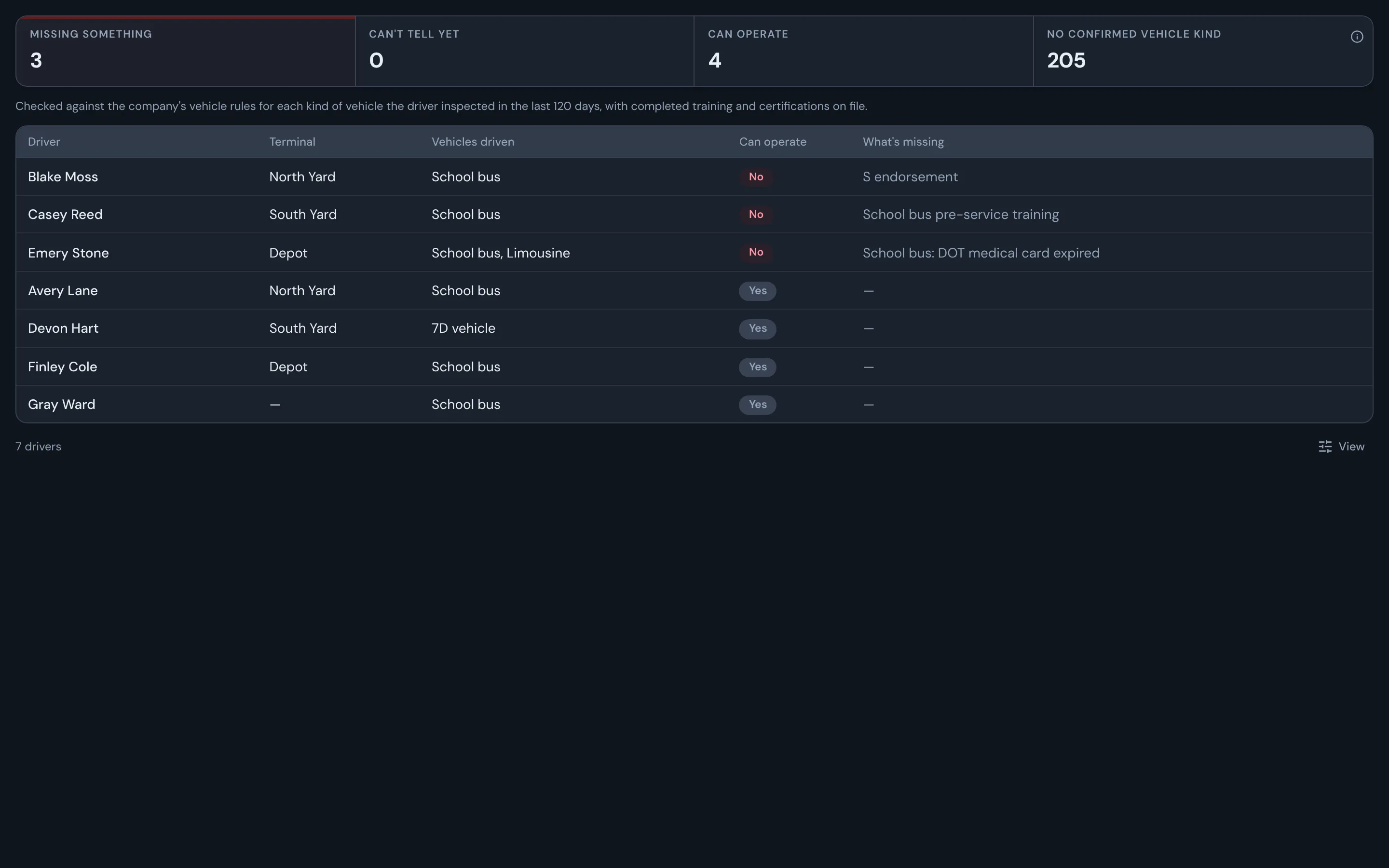
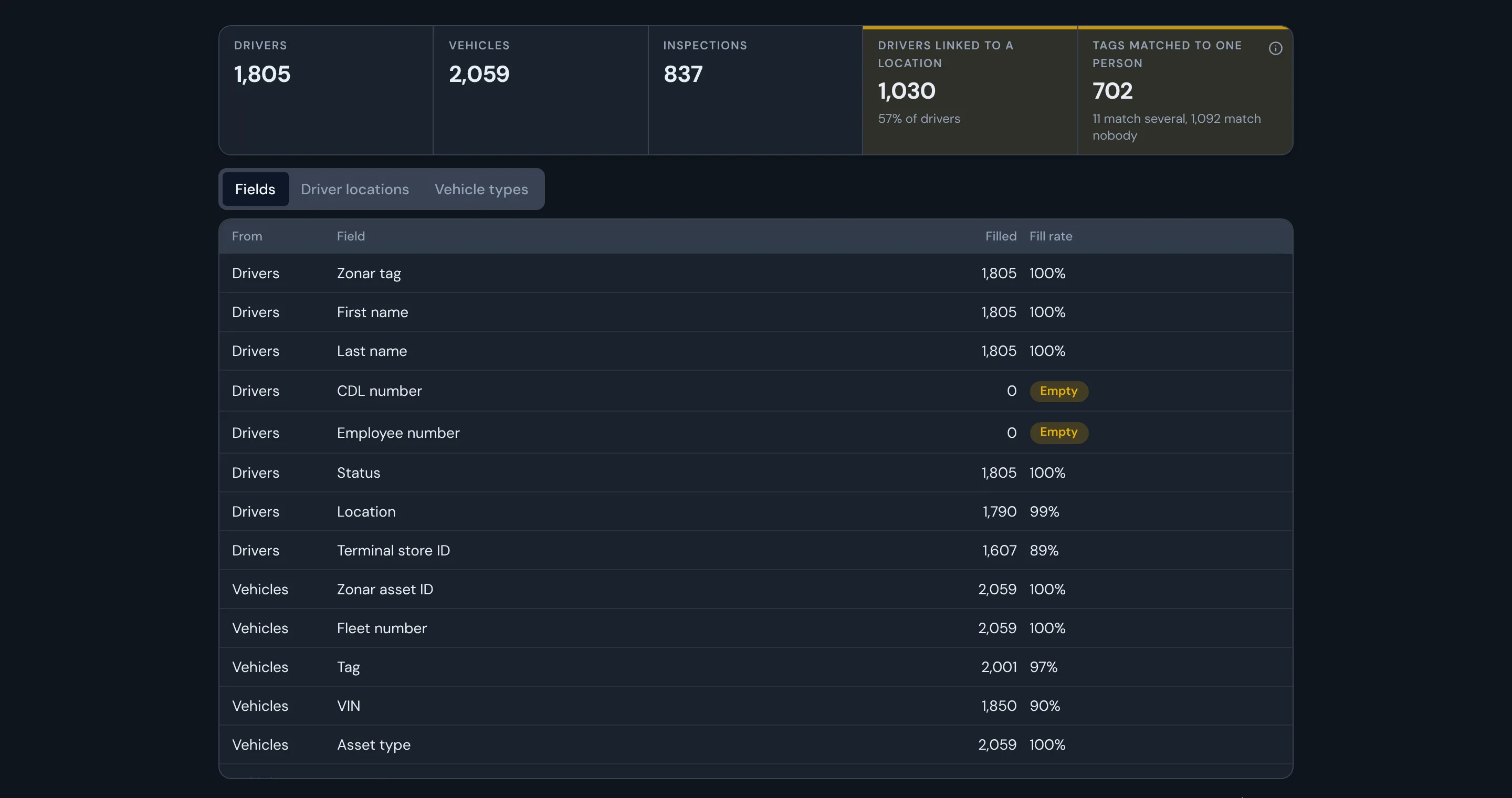
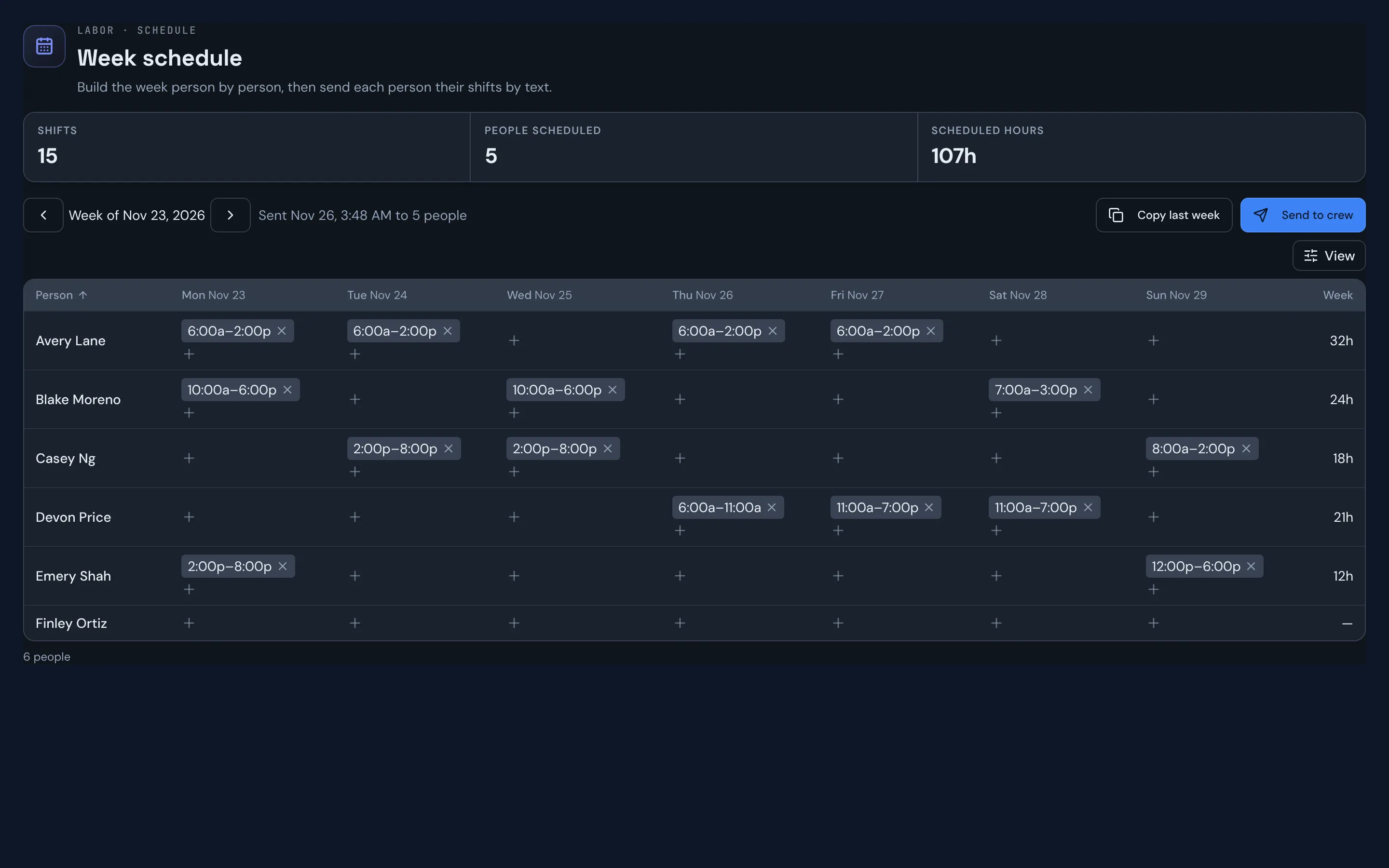
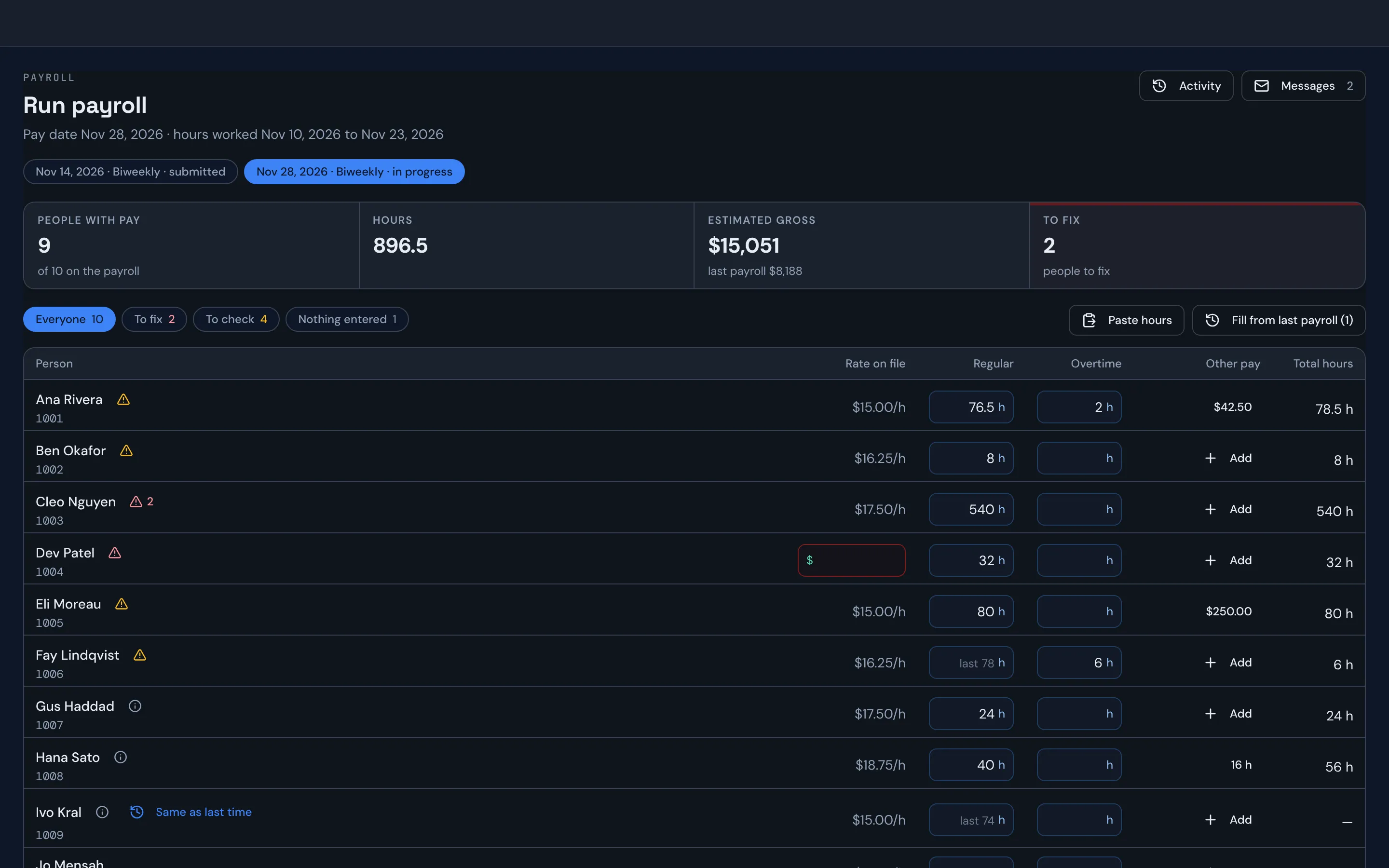
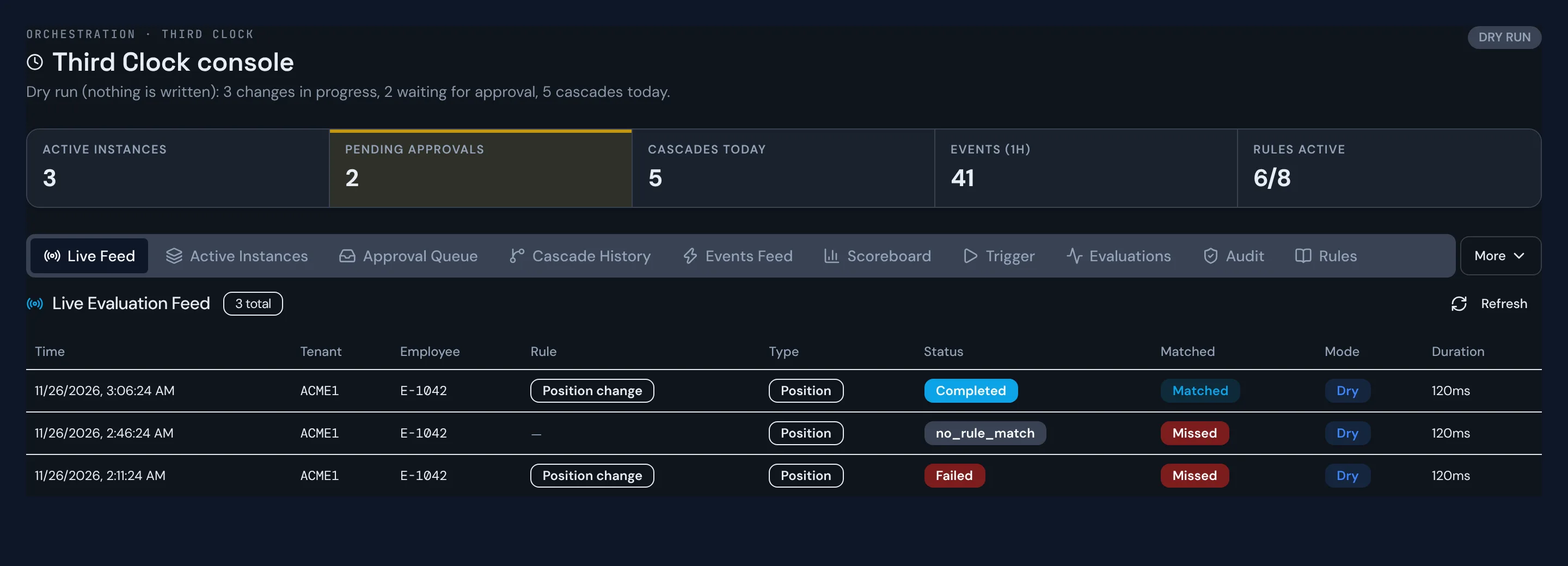
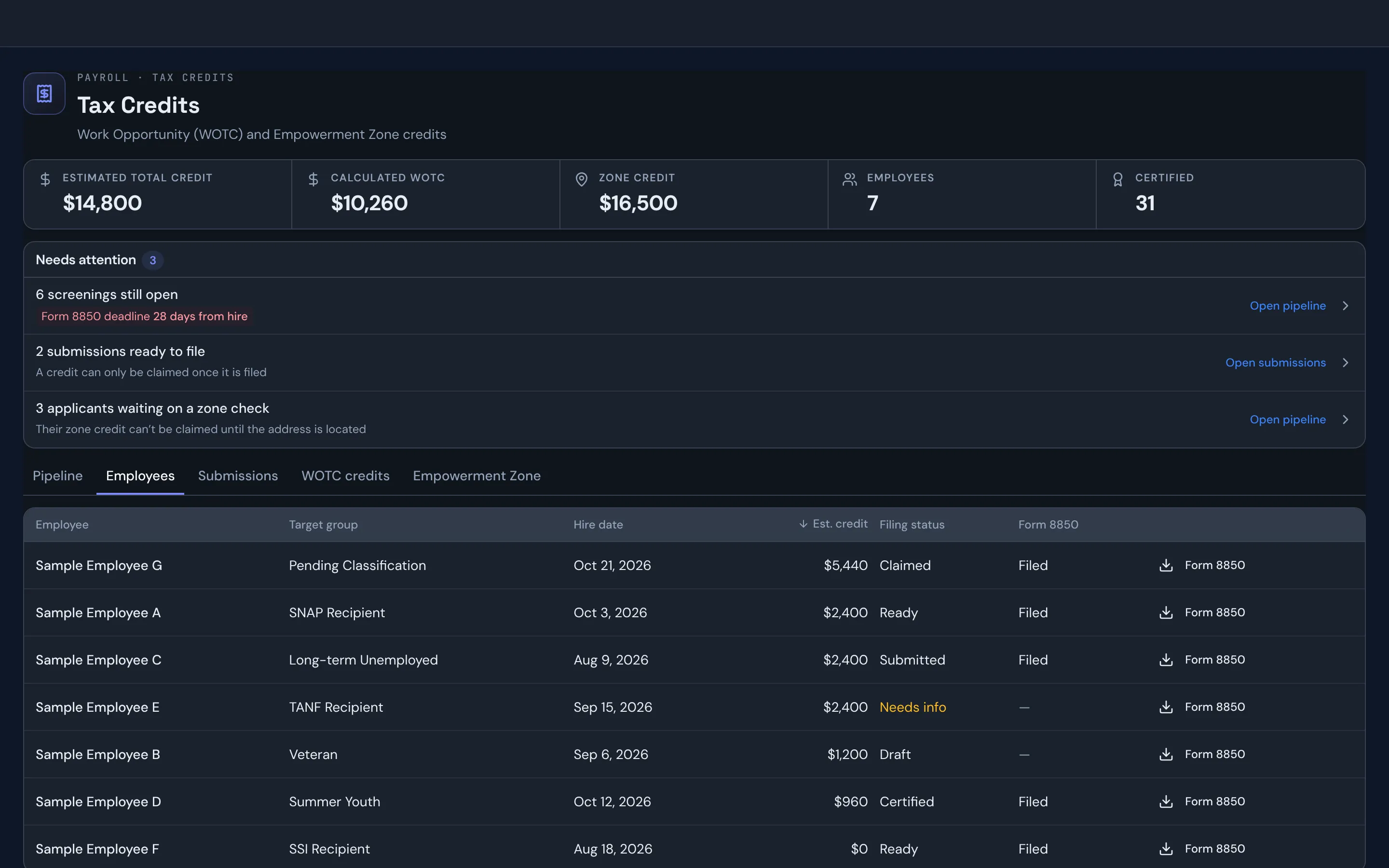
Real VorenX screens. Every name, store and figure is made up.
Questions people ask
Does VorenX work with Zonar?
Yes. Telematics systems such as Zonar plug in underneath VorenX. GPS and routes, driver events and inspections flow up; driver assignments and completed coaching flow back.
Can VorenX compare telematics hours with payroll?
Yes. Because telematics, dispatch and payroll are matched to the same driver, VorenX can show where hours disagree and let the right person decide.
Is driver coaching recorded?
Yes. Coaching completed in the training feed is recorded against the driver and can be written back to HR.
Keep reading
The third clock
The VorenX third clock checks every connected system against the top layer on every sync, flags disagreements, lets a person decide what is true, and writes it back.
The training feed
VorenX replaces manuals with a scrollable feed of short vertical training videos and quick checks. Completions and certifications write back to HR and scheduling.
Roles
VorenX is built down from people: frontline teams, managers, area supervisors, payroll and finance, owners, HR, IT and vendors each get one screen built for their job.
Systems Concierge
Every VorenX customer gets a Systems Concierge: a managed-services team that knows your systems, works with your IT team and vendors, and keeps everything in sync.