
VorenX for hr and people teams
Hiring to certification, in one flow
HR and people teams use VorenX to follow applicants through hiring, onboard new hires, approve position changes and track certifications and documents across every location. Changes are written back to the HR and payroll systems of record.
Updated
What appears on their screen
- Hiring funnel by location
- Voice screener for applicants
- Position changes and approvals
- Certifications and expiries
- Employee documents
Questions people ask
How do you onboard a new hire without entering them in every system?
Enter a new hire once, write them to HR, payroll, scheduling and learning, and give them one screen on their phone for their first shift, pay and training.
How do you screen hourly applicants faster across many locations?
Let applicants call a number and answer a short voice screen any time, score the answers the same way at every location, and send the best to the manager for an interview.
How do you stop employee certifications from expiring without anyone noticing?
Track every certification and its expiry across HR and learning systems, warn the person and their manager ahead of time, and keep anyone uncertified off the schedule for that work.
Real screens
Each screen says where it was built from. Industry pages show only the screens that fit that industry.
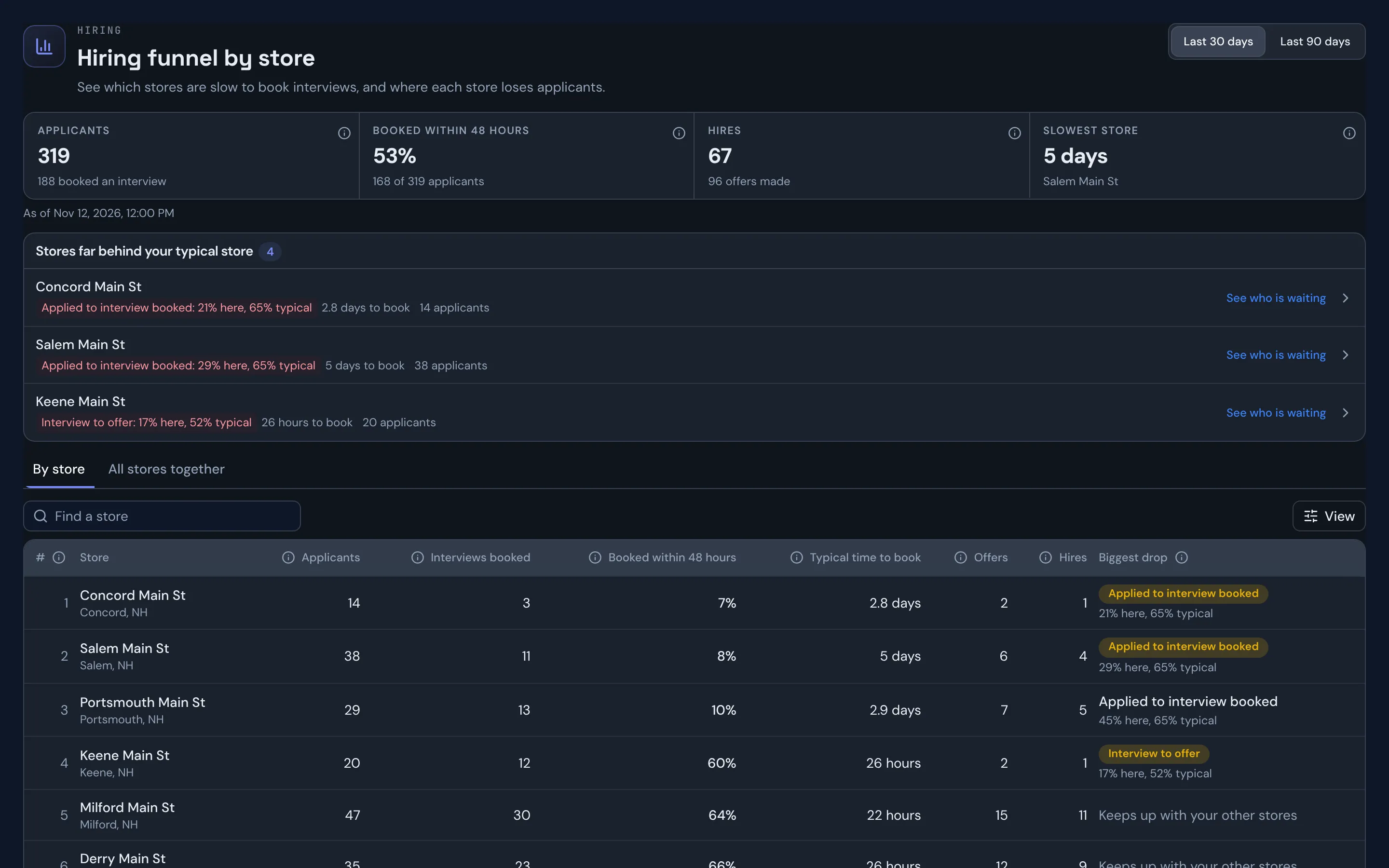
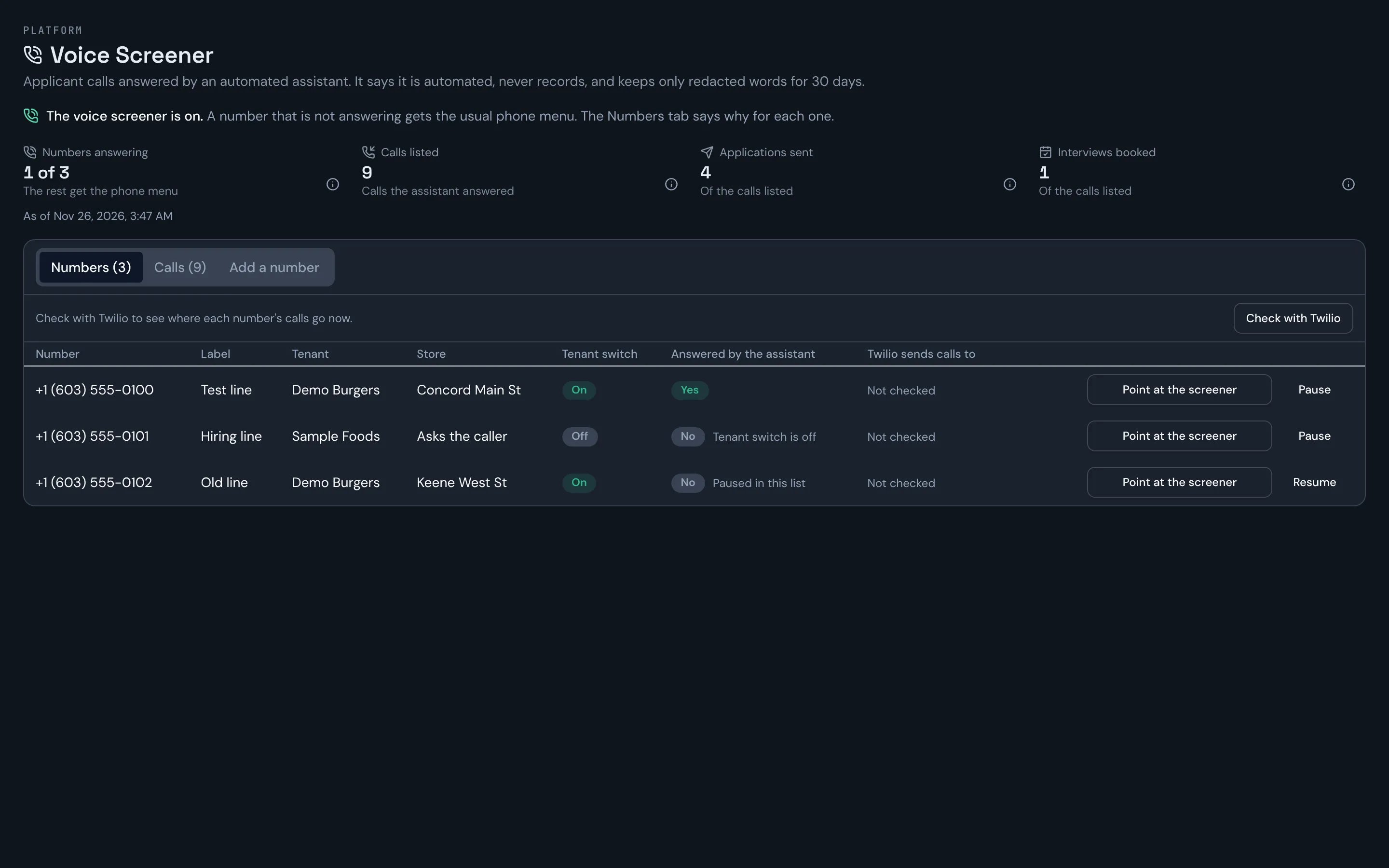
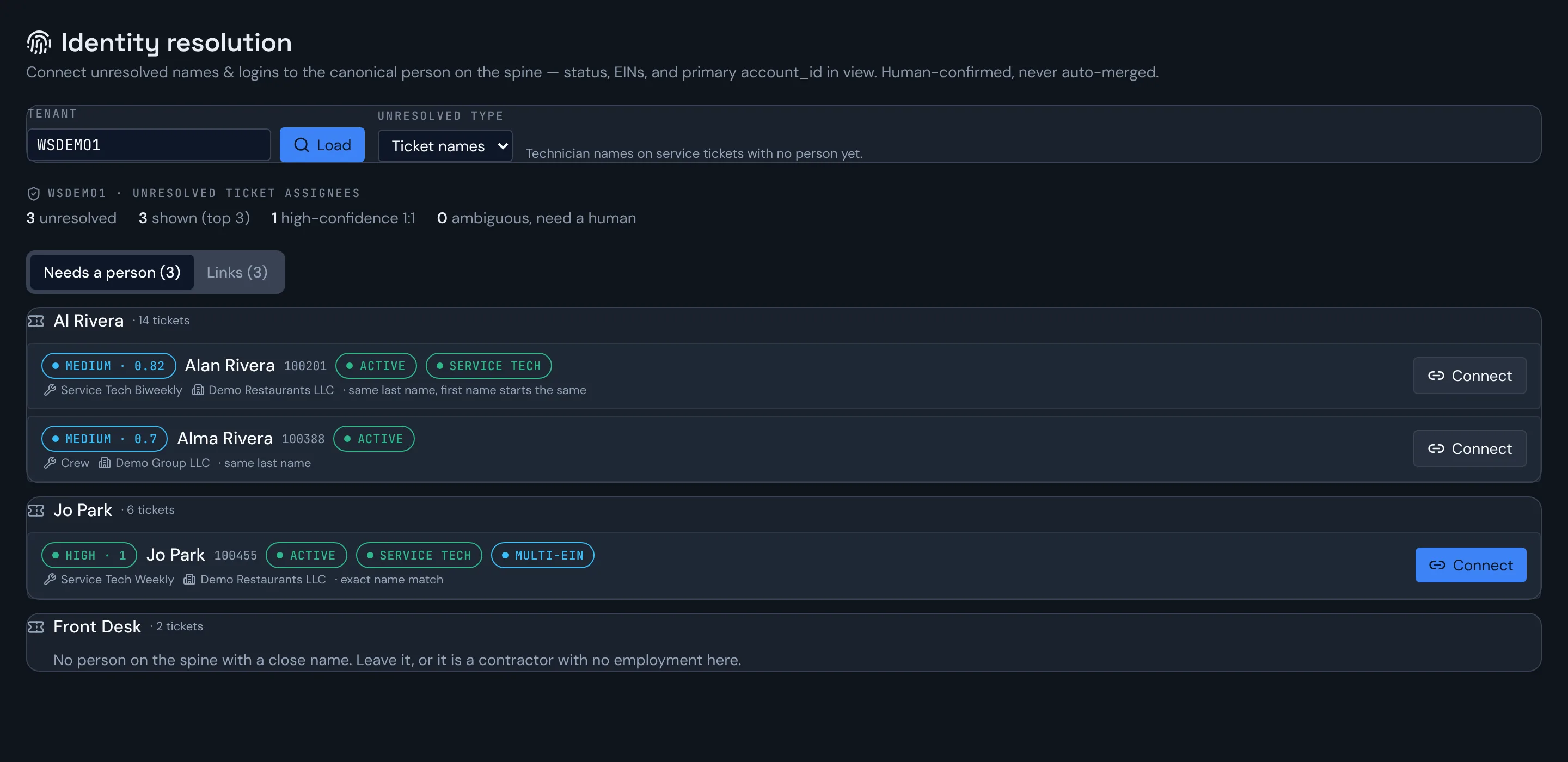
Real VorenX screens. Every name, store and figure is made up.
Questions people ask
Are position changes written back to our HR system?
Yes. Position changes approved in VorenX are dated and written back to the HR and payroll systems of record.
Can certifications expire without HR knowing?
No. VorenX tracks certifications and expiries across systems and flags them before they lapse.
Does HR need to re-enter new hires in every system?
No. A hire is entered once and written back to the HR and payroll systems of record.
Keep reading
Adaptive role-based screens
VorenX builds each person's screen from their role, responsibilities and profile. Access changes automatically on promotion, and the screen learns what each person uses.
One AI across every system
VorenX runs one AI layer across every connected system for cross-system business analytics. Use ours, or plug in Claude, Gemini, ChatGPT, Grok or your own model under the same roles and rules.
Industries
VorenX is the top layer for multi-location businesses with frontline teams: quick service restaurants, hospitals, senior living, transportation, private equity, banks and hospitality.