
VorenX for quick service restaurants
One screen for every restaurant, every shift, every role
VorenX gives quick service restaurant franchisees and multi-unit operators one role-based screen above their scheduling, timekeeping, POS, back office and payroll systems. Crew see their shift, pay and training on a phone. Managers see labor against sales for their store. Area supervisors see the roll-up. Payroll and owners see reconciled numbers across every restaurant. It started in quick service, with 35 years in frontline teams, payroll and operations behind it.
Updated
What every role sees
| Role | What they see in VorenX | Their screen on this site |
|---|---|---|
| Crew member | Next shift, pay, swaps, the training feed and an assistant, on a phone. | Crew home |
| General manager | Labor vs. sales by daypart, approvals, third clock alerts, documents and equipment tickets for the store. | TimeCop |
| Area supervisor | Every store rolled up: scorecards, labor, training readiness, site walks. | Store scorecard |
| Payroll and finance | Hours approved once, payroll checked before it goes, payroll reconciled to the general ledger. | Sales intelligence |
| Owner / operator | What needs a decision today across the whole organization. | Owner command center |
The problem today
- Scheduling, timekeeping, POS, inventory and payroll each live in a different vendor's app.
- Managers rebuild the same labor report every week from exports.
- Timecard edits, minor-labor rules and missed breaks are found after payroll, not before.
- Training lives in binders and slide decks that crews do not finish.
- Every acquisition of new restaurants brings another set of systems.
What changes with VorenX
Labor vs. sales by store and daypart
Schedules and punches joined to POS sales every day.
TimeCop
Every timecard edit by person and store: who changed it and by how much.
Minor-labor checks
Patterns that break minor-labor rules found before payroll.
Equipment and maintenance
Every unit on the store floor plan, with tickets and preventive maintenance due.
Training feed
Short vertical lessons tied to the equipment in each store.
Systems that plug in underneath
These are examples of systems restaurants commonly run. Each one plugs in underneath VorenX, keeps its job as a system of record, and gets approved changes written back.

HotSchedules
Scheduling and timekeeping: schedules, punches, time off in; shift swaps, trained-for-station flags, approved schedule changes back.

QSR Soft
Back office and operations: food cost, inventory, checklists in; task lists back.

UKG Ready
Scheduling and timekeeping: schedules, punches, time off in; shift swaps, trained-for-station flags, approved schedule changes back.

Evolution Payroll
Payroll: pay statements, earnings, deductions in; approved hours, bonuses and adjustments back.
Aloha POS
Point of sale: sales, tickets, speed of service in; labor targets back.
Restaurant365
Accounting and ERP: general ledger, accounts payable, budgets in; labor accruals, journal entries back.

CrunchTime
Back office and operations: food cost, inventory, checklists in; task lists back.

ADP Workforce Now
Payroll: pay statements, earnings, deductions in; approved hours, bonuses and adjustments back.
Jolt
Back office and operations: food cost, inventory, checklists in; task lists back.

Paycor
Payroll: pay statements, earnings, deductions in; approved hours, bonuses and adjustments back.

Toast
Point of sale: sales, tickets, speed of service in; labor targets back.
Questions one AI can answer across those systems
- Which restaurants went over on labor last week, and did it help speed of service?
- Who is on next week's schedule without the station training their position needs?
- Which timecards were edited after approval, and by whom?
Questions quick service restaurants teams ask
How do you catch timecard edits and payroll fraud across many locations?
Track every timecard edit by person and location, compare edited hours with punches, schedules and sales, and review patterns before payroll runs.
How do restaurants check minor-labor rules before payroll?
Join employee ages, schedules and punches across every store and flag shifts that break curfew, hours or permit rules for employees under 18 before payroll.
How do restaurant operators track labor cost against sales by daypart?
Join punches and schedules with POS sales by store, day and daypart, compare labor to target while the shift is running, and send labor targets back to scheduling.
Training for each department you run
Pick only the departments you have. Each one gets its own short lessons and quick checks, so nobody scrolls past training meant for another team.
Real screens that fit quick service restaurants
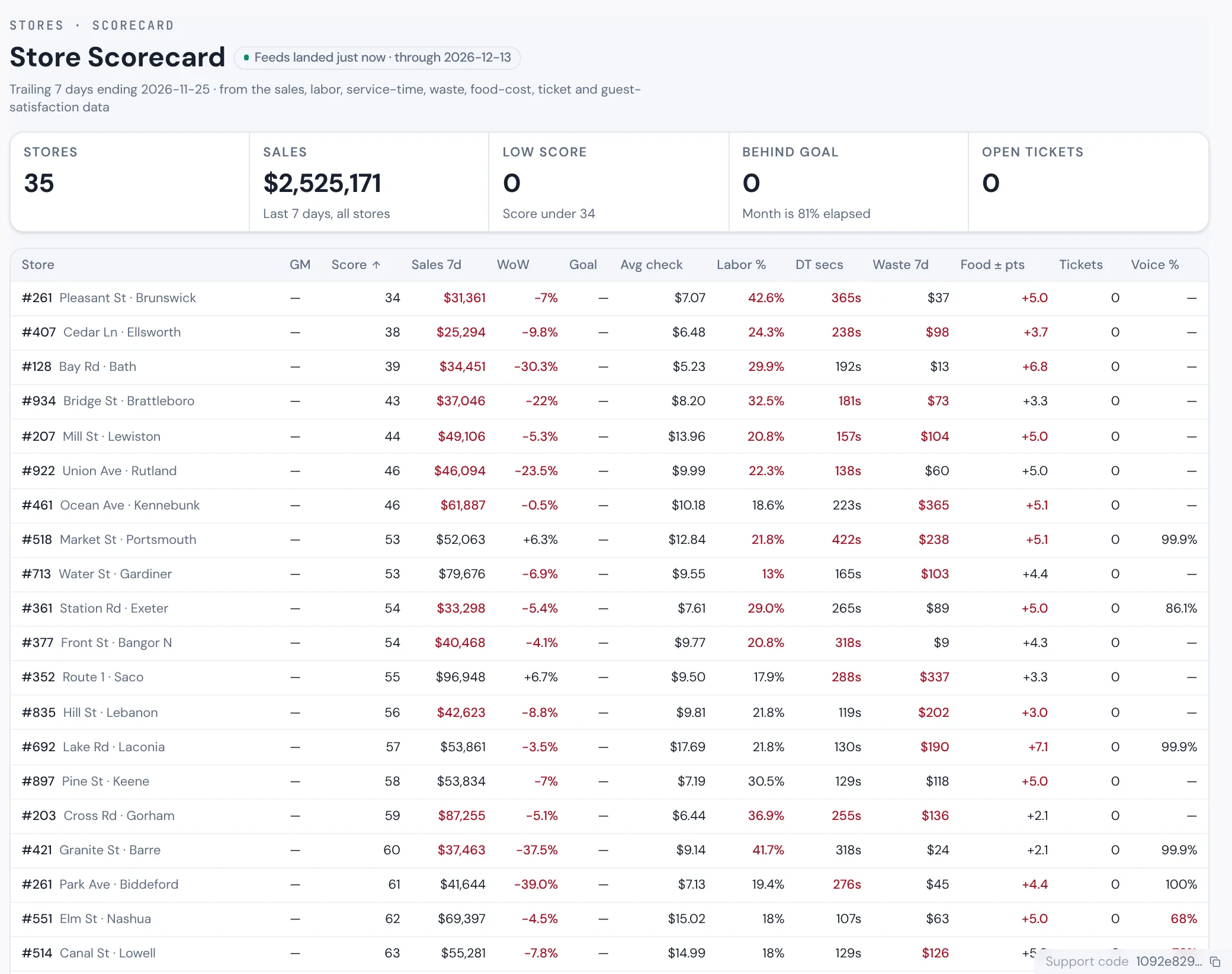
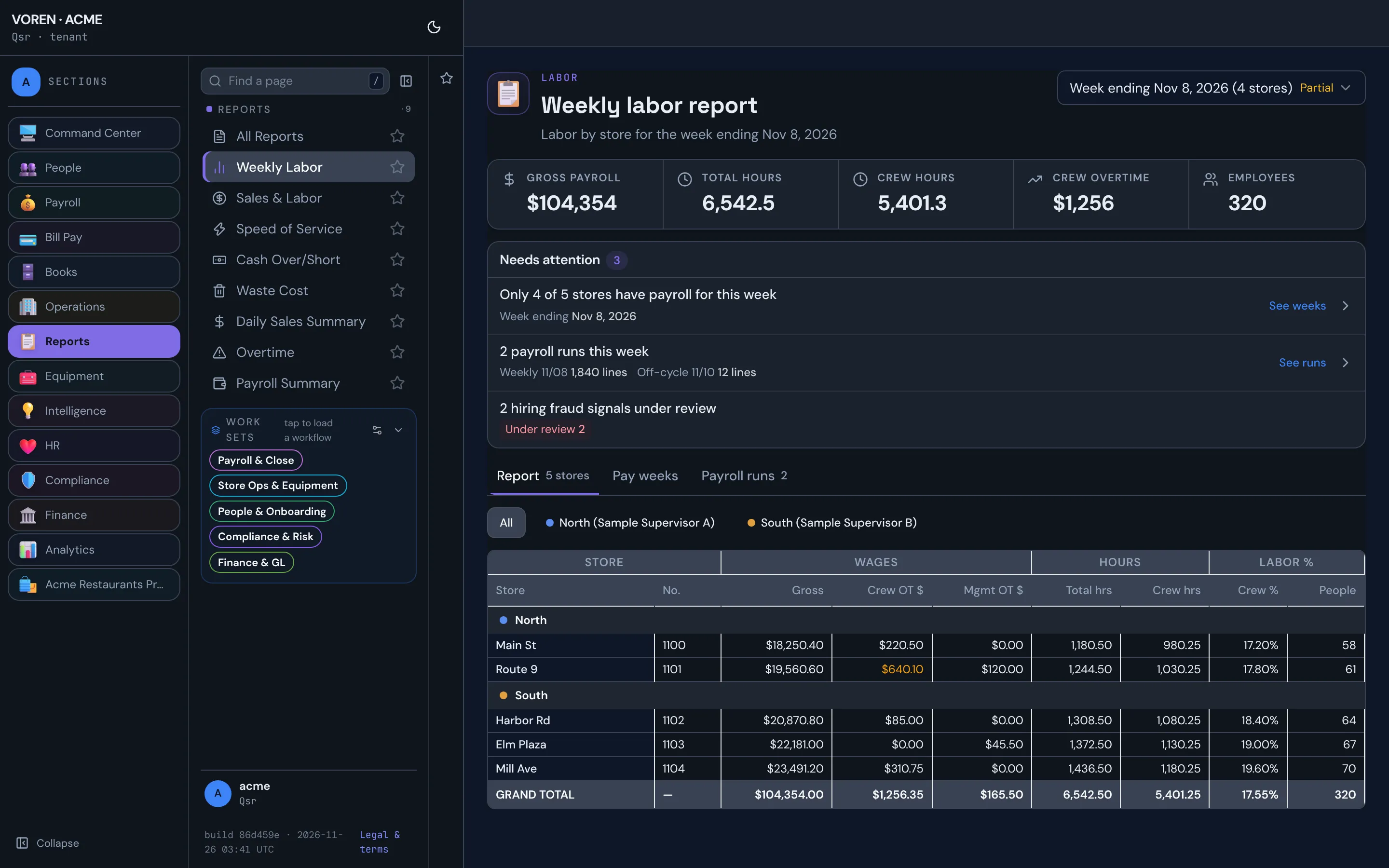
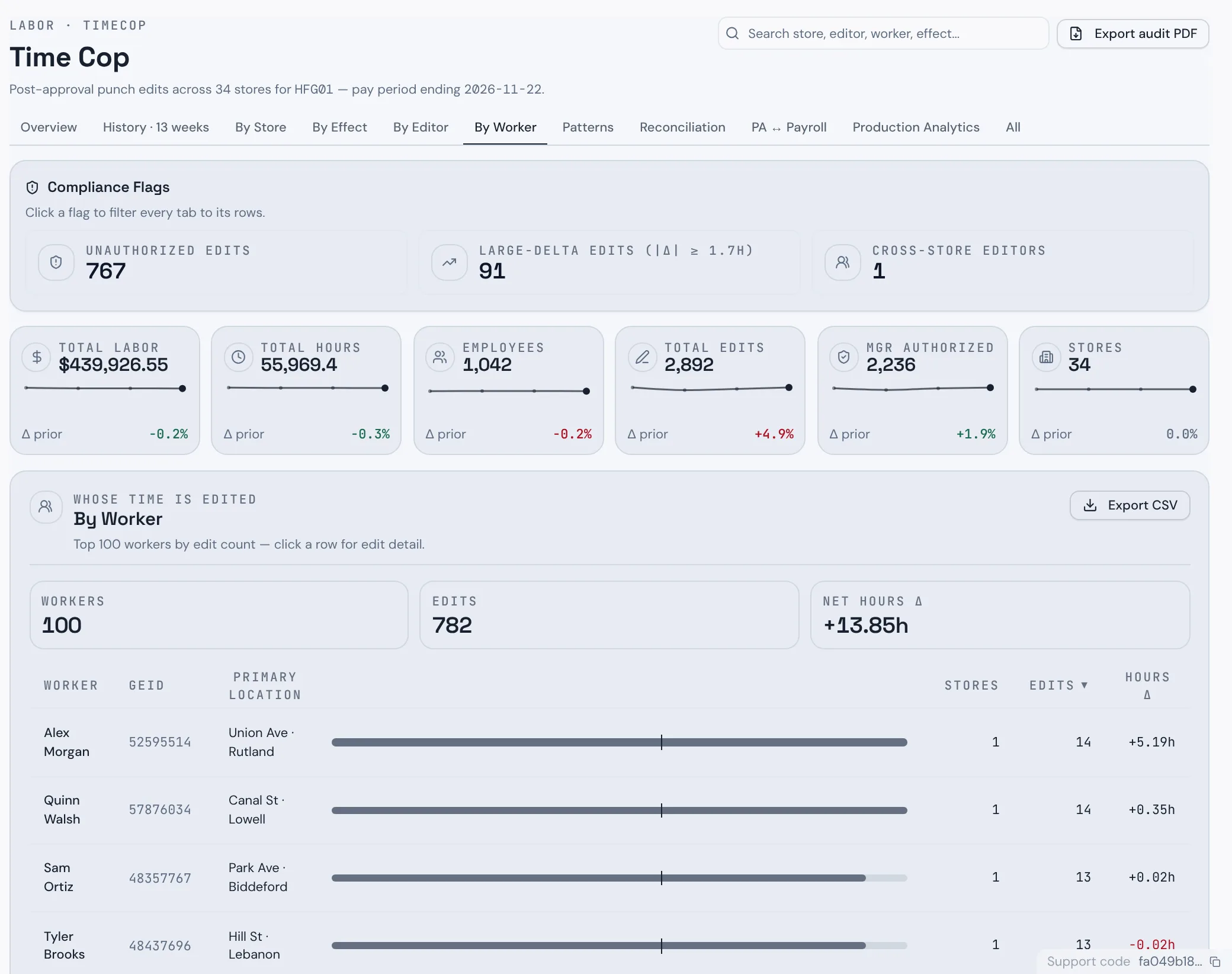
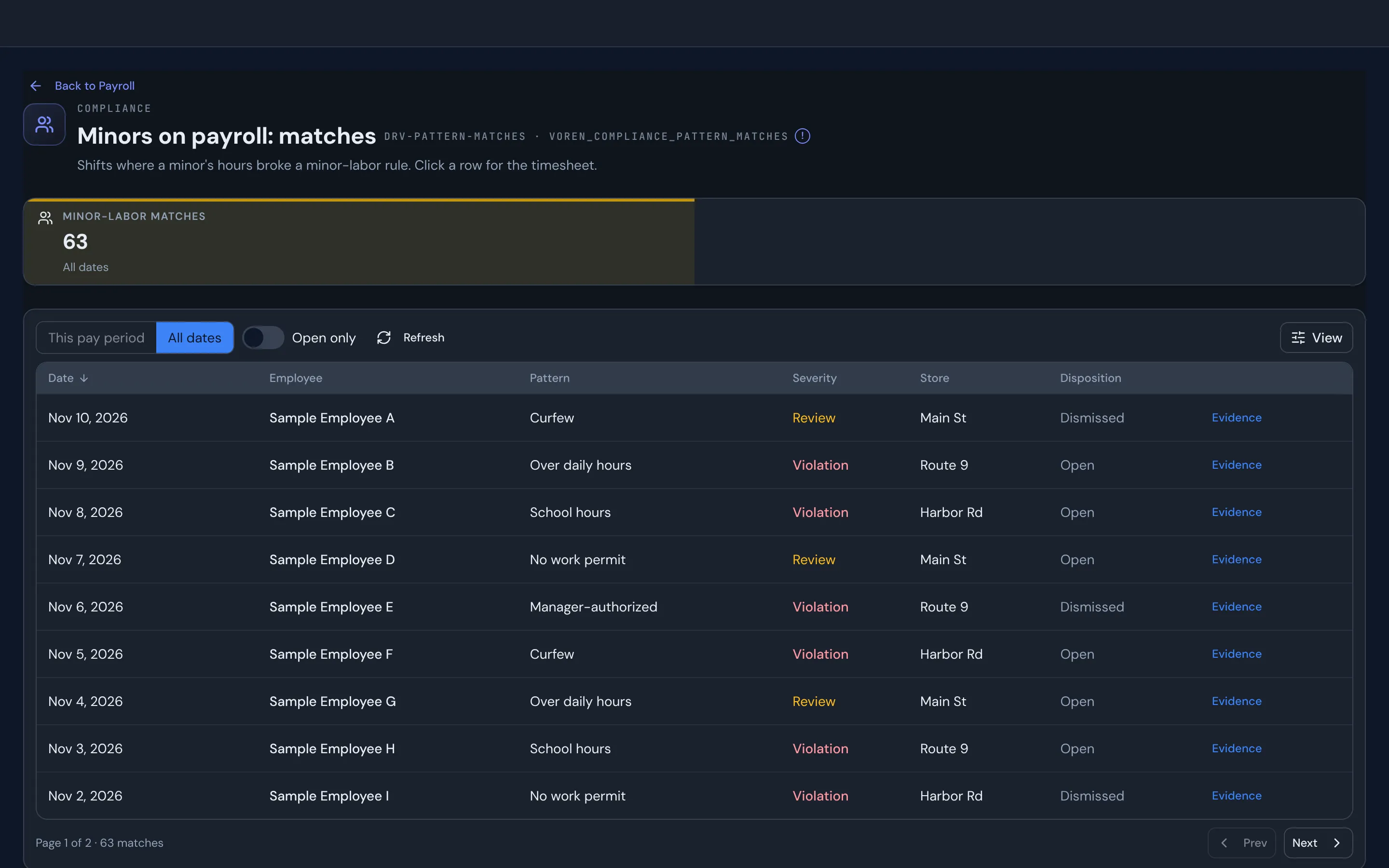
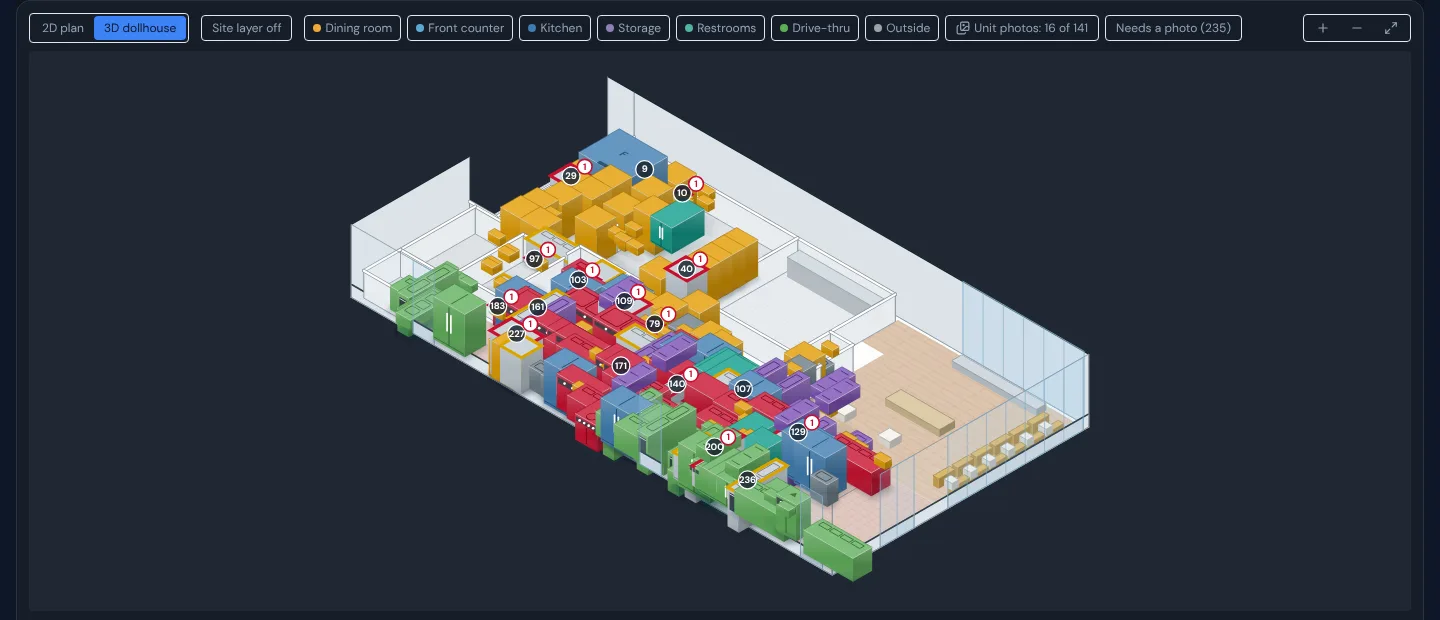
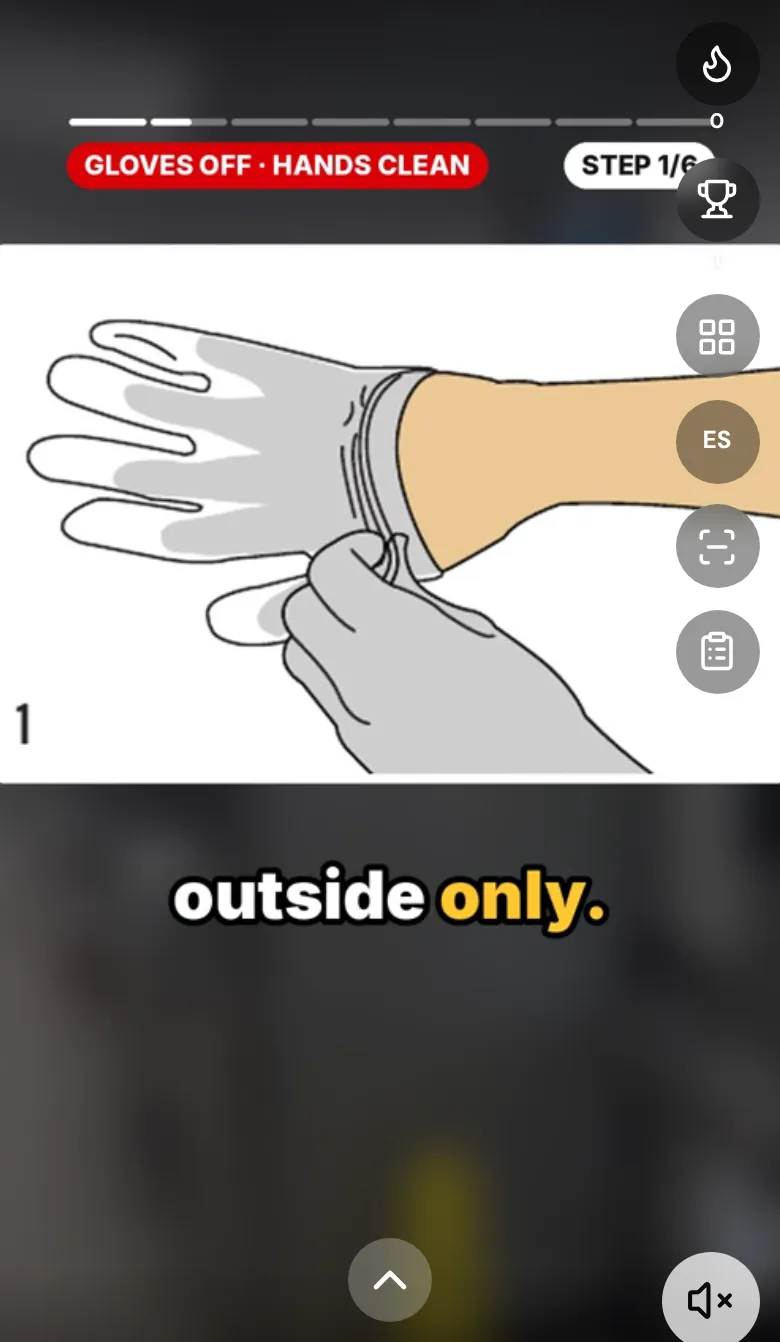
Real VorenX screens. Every name, store and figure is made up.
Questions people ask
Does VorenX work with HotSchedules and other restaurant scheduling tools?
Yes. Scheduling tools such as HotSchedules plug into VorenX underneath. Schedules, punches and time off flow up; shift swaps and trained-for-station flags flow back.
Can it check minor-labor rules before payroll?
Yes. VorenX looks across schedules, punches and employee records for patterns that break minor-labor rules, by store and employee, so they can be fixed before payroll.
Is VorenX only for one brand?
No. VorenX works for franchisees and operators of any quick service brand, and for operators who run several brands. Each brand or restaurant is a rooftop that rolls up the same way.
Keep reading
The third clock
The VorenX third clock checks every connected system against the top layer on every sync, flags disagreements, lets a person decide what is true, and writes it back.
The training feed
VorenX replaces manuals with a scrollable feed of short vertical training videos and quick checks. Completions and certifications write back to HR and scheduling.
Roles
VorenX is built down from people: frontline teams, managers, area supervisors, payroll and finance, owners, HR, IT and vendors each get one screen built for their job.
Systems Concierge
Every VorenX customer gets a Systems Concierge: a managed-services team that knows your systems, works with your IT team and vendors, and keeps everything in sync.