
A screen that knows who you are
No app list. No pile of logins. Just your job.
VorenX gives each person one screen built from their role, responsibilities and profile, pulling from every system they are allowed to see. When someone is promoted, moves departments or changes roles, their access changes with them automatically. Over time the screen learns what each person uses and when, and puts it first.
Updated
Access follows the role
Roles and rules are defined once in VorenX and apply everywhere: to screens, reports, documents, approvals and the AI. A crew member's AI only sees what a crew member can see.
There is nothing to request and nothing to remember. A crew member promoted to shift lead gets the shift checklist and the team-on-now view the same day; a general manager who becomes an area supervisor gets the roll-up across their rooftops and loses the single-store view they no longer need.
| Role | What appears on their screen |
|---|---|
| Crew member | My schedule, my pay, training feed, shift swaps |
| Shift lead | Adds the shift checklist and who is on now |
| General manager | Adds labor vs. sales, approvals, third clock alerts and documents |
| Area supervisor | Adds the roll-up across every rooftop and site walks |
Replaces the single sign-on app list
Single sign-on still hands people a page of app tiles. VorenX replaces the list with the work itself. People do not need to know which vendor holds their pay stub or their schedule.
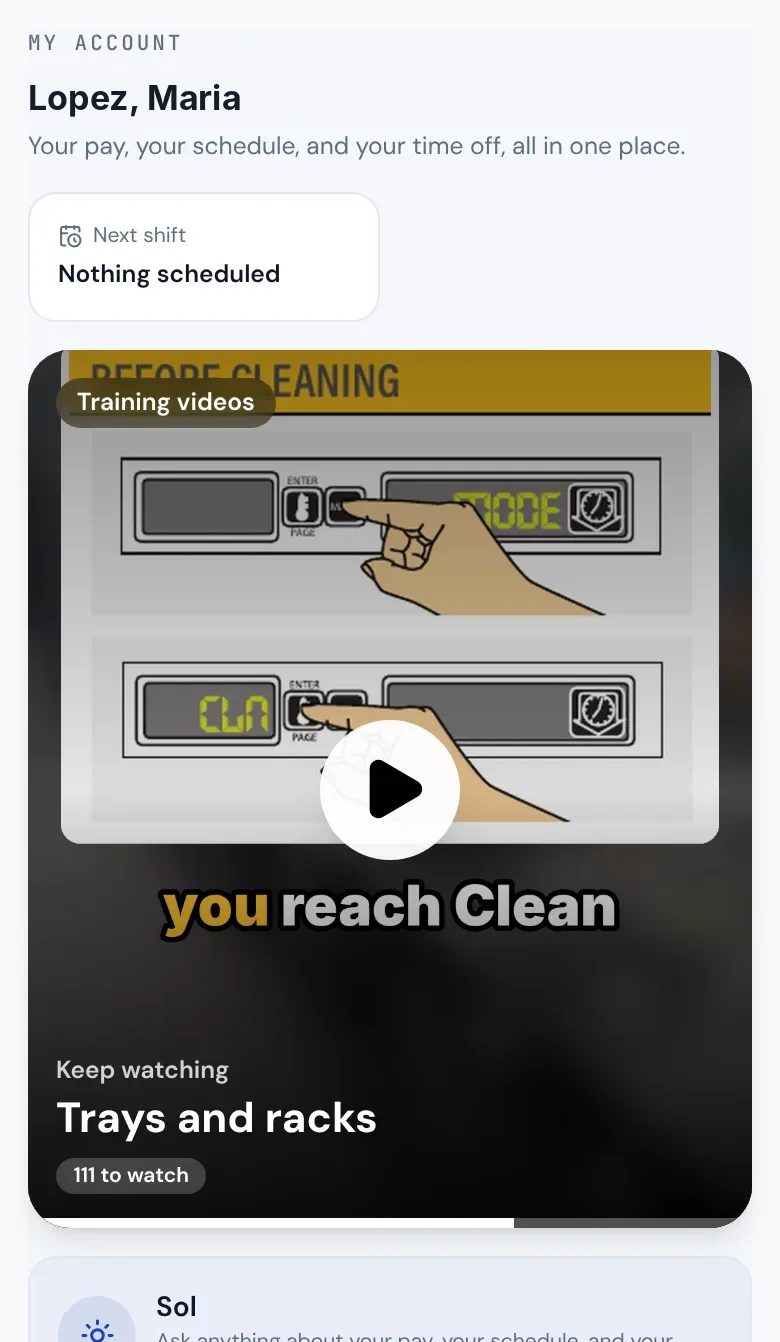
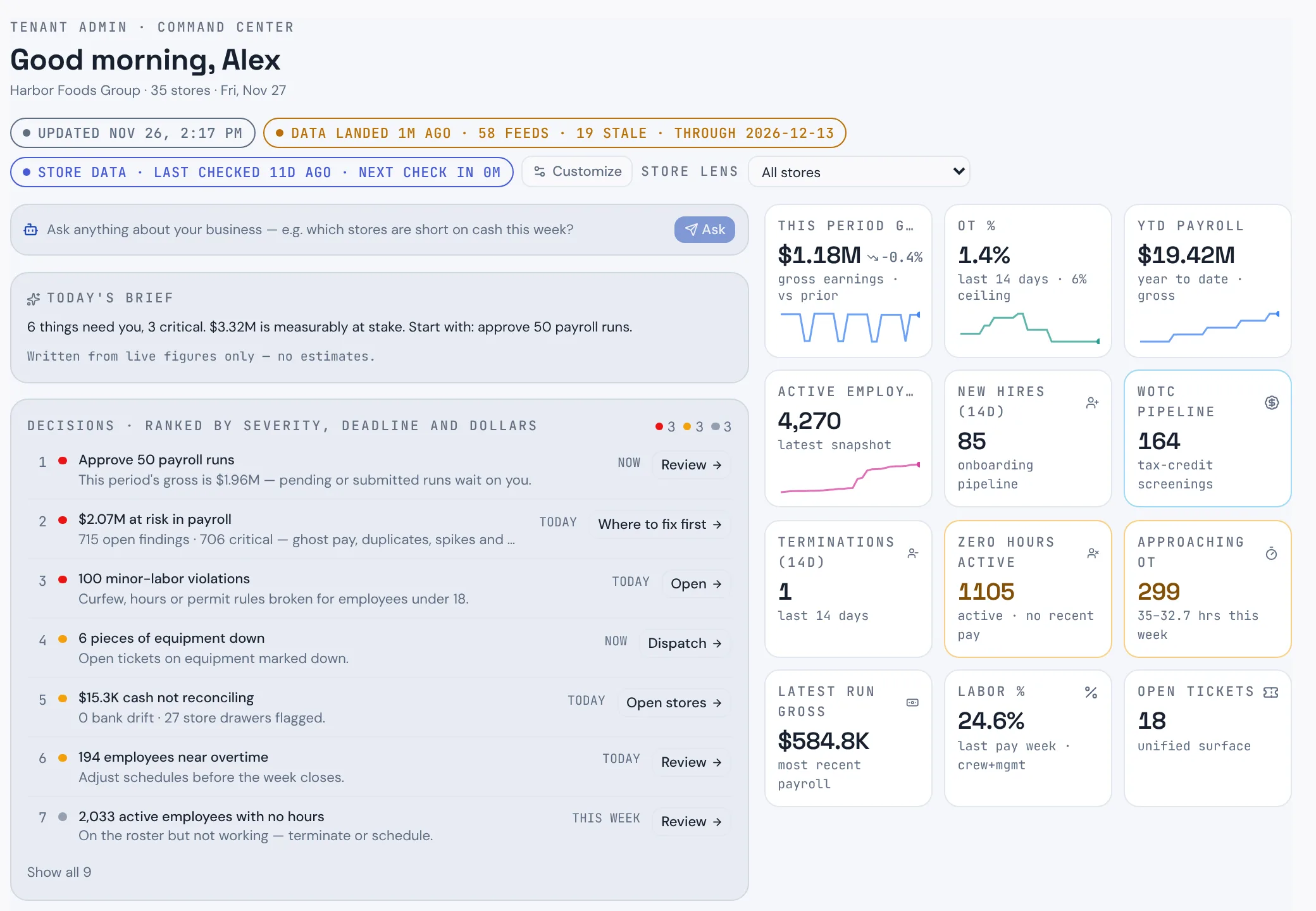
Real VorenX screens. Every name, store and figure is made up.
Questions people ask
Questions people ask
What happens to access when an employee is promoted?
Access changes automatically with the role. New screens and permissions appear, and ones the person no longer needs are removed, without a ticket to IT.
Can the AI see more than the user can?
No. Any AI engine used in VorenX works through the same roles and rules, so it only sees what that person is allowed to see.
Keep reading
Roles
VorenX is built down from people: frontline teams, managers, area supervisors, payroll and finance, owners, HR, IT and vendors each get one screen built for their job.
The Top Layer
The Top Layer is the category VorenX created: one screen per person above every system a business runs, so vendors can change underneath without anyone retraining.
VorenX vs. Single sign-on portals
Single sign-on gives people one password and a page of app tiles. VorenX gives each person one role-based screen that already holds what they need from every system.
One AI across every system
VorenX runs one AI layer across every connected system for cross-system business analytics. Use ours, or plug in Claude, Gemini, ChatGPT, Grok or your own model under the same roles and rules.